 Coco's Nest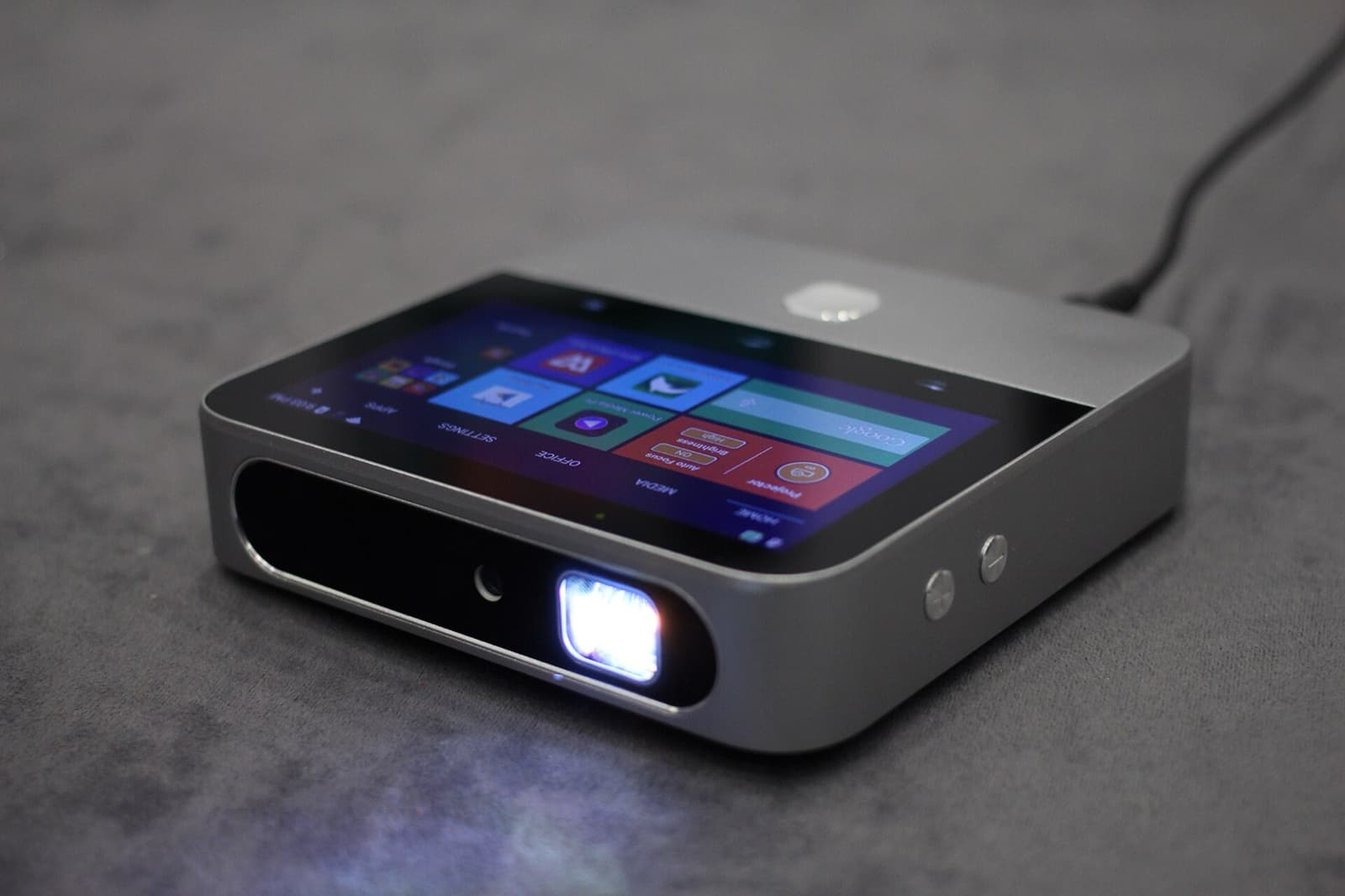
Portable projector
For a film on the terrace. HDMI and a Chromecast port.
Starting from
₹800per day
Your host confirms the final price for your dates before anything is booked.
₹6,000 refundable deposit, collected at handover and returned at the end.
2 available
No payment now. We call you to confirm and book.
What comes with it
- HDMI cable
- Tripod stand
About the Portable projector
A portable home projector for watching a film on the terrace or in the living room. Connect a laptop with the HDMI cable, or plug a streaming stick into the Chromecast port. The included tripod stand lets you set it up without a table.
It is best after dark. Portable projectors are much dimmer than a TV, so any light around them washes out the picture. The darker the space, the larger and clearer the image.
You need a plain, light-coloured wall or a screen. Textured or coloured walls reduce picture quality. It suits families and groups who want an evening film night at the stay.
Highlights
- HDMI input for a laptop
- Chromecast port for a streaming stick
- HDMI cable and tripod stand included
- Best after dark, projected on a plain wall or screen
Tips for using it in Goa
- Wait until it is fully dark. Even dusk light makes the picture look faded.
- Turn off nearby lights, including terrace and pool lights facing the wall.
- Use the smoothest, lightest wall you can find, or hang a plain white sheet pulled tight.
- Download films in advance if the Wi-Fi at the stay is slow, and play them from a laptop over HDMI.
- Bring the projector inside if it starts to rain, and keep it away from pool splashes and sea spray.
Common questions
Can I use it during the day?
Not really. Portable projectors need darkness for a watchable picture. Daylight or bright rooms wash the image out.
How do I connect my laptop?
Use the included HDMI cable. Some laptops need a USB-C to HDMI adapter, so check your laptop's ports before you arrive.
Do I need a screen?
A plain, light-coloured wall works. A smooth white surface gives the clearest picture.
Can I stream Netflix or YouTube?
Yes, through a laptop over HDMI, or a streaming stick in the Chromecast port. Either way it needs a working internet connection at the stay.
Product details from: BenQ: Portable projector ambient lighting guide. Specifications vary by unit and model year; ask your host if a detail matters to you.
Reviews
No reviews yet. Be the first.
Reviews open soon.